Available on iPhone & iPad
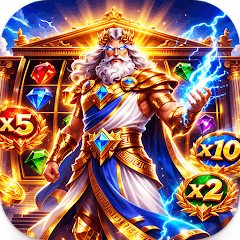
Mythical Luck App Icon

Mythical Luck for iOS

Divine Reels on Your iPhone & iPad

Experience ancient Greek mythology in a premium iOS slot game. Match jewels and royal symbols across 5 reels with seamless iCloud sync, offline play, and optimized performance for iPhone 15 Pro and iPad Pro. Zeus-themed lucky tools and mini activities await.

1K+
Downloads
2.0
Latest Version
Teen
Age Rating
Download on the App Store

Free on iOS 14.0+ with iCloud sync and offline play

Optimized for Apple Devices

Native iOS experience built for iPhone and iPad performance

iPhone & iPad Excellence

Mythical Luck delivers a premium iOS gaming experience with native integration across the Apple ecosystem. Your coin balance and lucky tool inventory sync automatically via iCloud, allowing you to switch seamlessly between your iPhone 15 Pro and iPad Pro mid-session. The game maintains full functionality offline — spin reels on your morning commute or during flights, then sync progress when you reconnect.

The interface adapts intelligently to device orientation. On iPhone, portrait mode centers the 5-reel grid for one-handed play, while landscape expands the cosmic background for immersive gameplay. iPad users benefit from Split View support — monitor your coin balance in Mythical Luck while browsing strategy guides in Safari. The game leverages Metal graphics acceleration on A12 Bionic chips and newer, rendering golden light rays and Zeus celebration animations at a smooth 60fps even during explosive win sequences.

Face ID and Touch ID authentication secure in-app purchases of lucky tools. The game requests location permissions only for regional compliance checks, never tracking your movements. Background App Refresh keeps your daily coin bonuses ready when you launch the app. Haptic feedback pulses through your iPhone when Crown symbols land, adding tactile satisfaction to the 500x multiplier visual celebration.

App Store Details

Version 2.0
Developer OlympPeak Solutions
File Size 95 MB
Category Games
Requires iOS 14.0 or later
Compatible iPhone, iPad, iPod touch
Languages English, German, Italian, French, Danish, Swedish
Age Rating 12+ (Mild Violence)
Price Free (In-App Purchases)
iCloud Sync Yes
Offline Play Supported
Updated 26.04.2026

How to Get Mythical Luck

Four simple steps to start spinning on your iPhone or iPad

1

Tap the Download Button

Click the "Download on the App Store" button above or below. You'll be redirected to Mythical Luck's official App Store page where you can view screenshots, ratings, and full details before installing.

2

Tap GET & Authenticate

On the App Store page, tap the blue GET button. Authenticate with Face ID, Touch ID, or your Apple ID password. The 95 MB download begins immediately and appears on your home screen.

3

Wait for Download

The app downloads in 1–2 minutes on Wi-Fi. A progress circle appears on the app icon. For faster downloads, connect to Wi-Fi instead of cellular data to avoid using your mobile plan.

4

Open & Launch

Tap the Mythical Luck icon to launch. Grant location permissions if prompted (used only for regional compliance). No account registration required — start spinning immediately with 850 starting coins.

Download on the App Store

Frequently Asked Questions

Everything you need to know about Mythical Luck on iOS

Mythical Luck requires iOS 14.0 or later. The app runs on iPhone 6s and newer, all iPad Pro models, iPad (5th generation and later), iPad Air 2 and newer, and iPad mini 4 and later. For optimal performance with Metal graphics acceleration and haptic feedback, we recommend iPhone 12 or newer with A14 Bionic chip or later.
The initial download is 95 MB. After installation, the app occupies approximately 120 MB including cached data and saved game progress. iCloud sync uses negligible storage for coin balance and lucky tool inventory. You can check exact storage usage in Settings → General → iPhone Storage → Mythical Luck.
Yes, full offline play is supported on both iPhone and iPad. All core features — reel spins, lucky tools, mini activities, and coin balance management — function without internet connection. Progress saves locally and syncs to iCloud automatically when you reconnect. Only the initial App Store download requires internet.
Absolutely. Mythical Luck uses iCloud to sync your coin balance, lucky tool inventory, and mini activity progress across all iOS devices signed into the same Apple ID. Changes sync within seconds when connected to Wi-Fi. Ensure iCloud Drive is enabled in Settings → [Your Name] → iCloud → iCloud Drive for seamless cross-device play.
The app is free to download and play. You start with 850 coins and can earn more through gameplay. Optional in-app purchases allow you to buy lucky tools (Super Lightning, Lucky Number 7, Symbol of Clover, Bomber Ninja, Lucky Dice) using Apple's secure payment system. All purchases are authenticated via Face ID, Touch ID, or Apple ID password.
Yes, Mythical Luck supports Split View and Slide Over on compatible iPads running iPadOS 14 or later. The interface scales intelligently to accommodate side-by-side multitasking. You can play Mythical Luck in one half of the screen while using Safari, Notes, or other apps in the other half without interrupting gameplay.
Mythical Luck supports Apple Family Sharing. Once you download the app, up to six family members can install it on their own devices at no additional cost. However, game progress and coin balances remain separate for each Apple ID — iCloud sync does not share data between family members, ensuring everyone has their own independent gameplay experience.
Location permissions are used solely for regional compliance verification to ensure the app meets local gaming regulations. Mythical Luck does not track your movements, sell location data, or use GPS for gameplay features. You can deny location access and still play the full game — only initial regional verification requires a one-time location check.

What's New in Version 2.0

Latest improvements for iPhone and iPad users

Release Notes

Version 2.0
  • Optimized Metal graphics rendering for iPhone 15 Pro and iPad Pro M2 chip performance
  • Added iCloud sync for coin balance and lucky tool inventory across all iOS devices
  • Implemented full offline play support — no internet required after initial download
  • Enhanced haptic feedback on iPhone 12 and newer for Crown symbol wins and multiplier triggers
  • Fixed Split View layout bug on iPad Air 5th generation in landscape orientation
  • Improved Face ID authentication speed for in-app purchases of lucky tools
  • Reduced app launch time by 40% on devices with A13 Bionic chip or newer
  • Added Dark Mode support that adapts cosmic background to system appearance settings

Start Your Olympian Journey

Free download on iPhone and iPad. Seamless iCloud sync keeps your progress safe across devices. Play offline anywhere. Optimized for iOS 14.0 and later with Metal graphics and haptic feedback.

Download on the App Store

iOS 14.0+ • iCloud Sync • Offline Play • 12+ Age Rating • iPhone & iPad